Which of our AI has no guardrail, and is any of it open to the internet?
Onam checks both on every scan: guardrail attached, and login in front.
Missing Bedrock Guardrails, Azure content filters or Google Model Armor, and self-hosted model servers that answer anyone, raise findings in your usual queue.
- Bedrock Guardrails
- Azure content filters
- Model Armor
- Self-hosted on Kubernetes
What exactly does Onam see?
Whether a provider guardrail is attached, and whether a self-hosted AI server can be reached with no authentication. It does not open the guardrail to test it.
- support-assistant (Bedrock agent): No guardrail attached
- chat-prod (Azure OpenAI deployment): Content filter attached
- pricing-model (Vertex AI endpoint): No Model Armor template
- llm-gpu (Ollama on Kubernetes): Open, no login in front
| Cloud | Guardrail checked | Checked on |
|---|---|---|
| AWS | Amazon Bedrock Guardrails | Models, deployments and agents |
| Azure | Azure AI content filters | Models, deployments and agents |
| Google Cloud | Google Model Armor | Models, deployments and agents |
| Self-hosted on Kubernetes | No provider guardrail to check | Exposure without authentication instead |
Why is an open model server a big deal?
Because a server started for a test can be left running with no login in front of it. Behind a public load balancer or ingress, that is an open model API, an open notebook that can run code, or an open copy of your embeddings.
The scan recognises the workload as AI (see Discovery), joins it with the network exposure found in the same scan, and raises Self-hosted AI exposed without authentication.
Where do these findings show up?
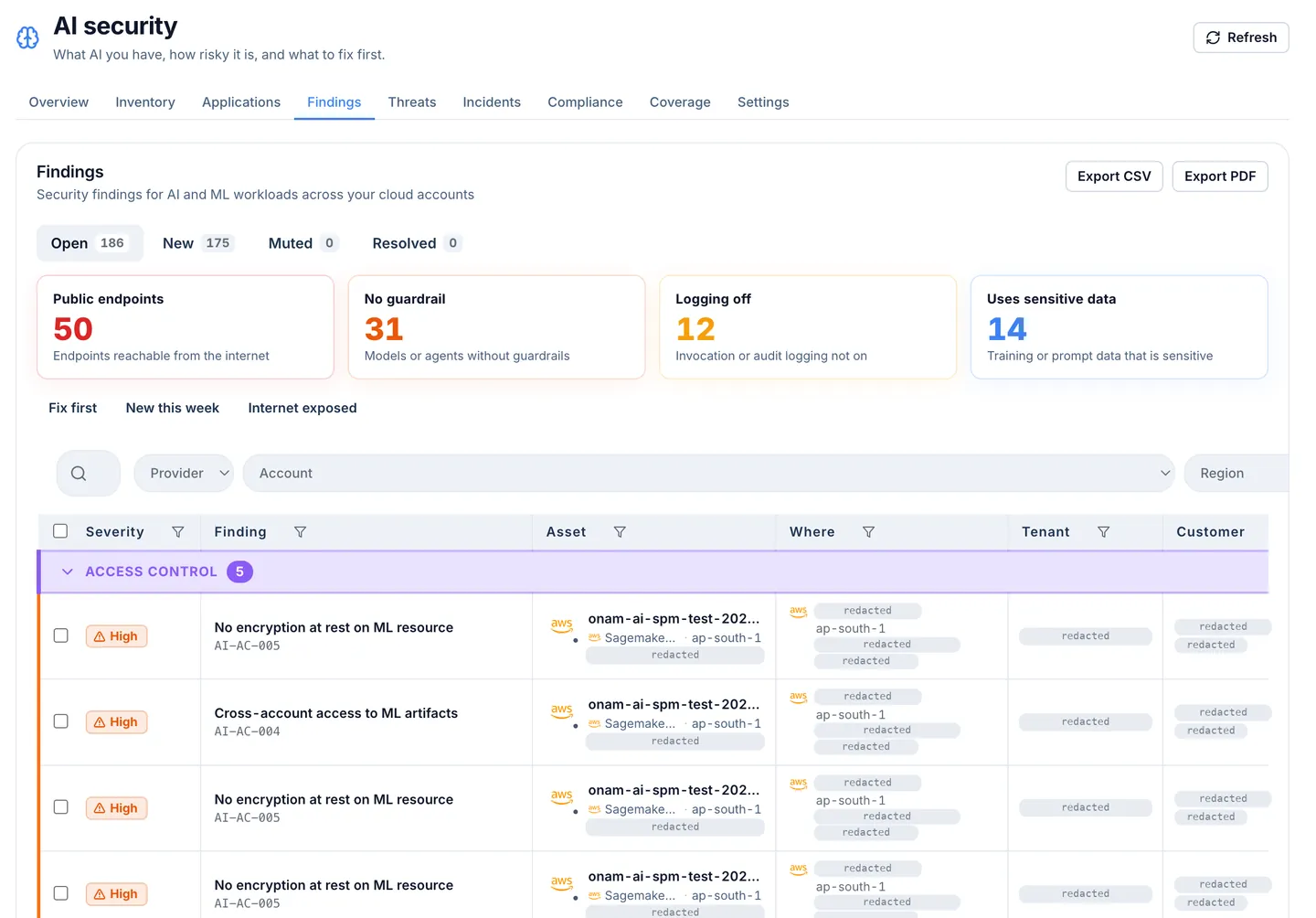
On the Findings tab of AI Security, counted at the top and grouped by category, next to the configuration findings for your cloud AI services.
How do I fix a missing guardrail?
Attach one in the provider's console; the next scan resolves the finding. Fix the riskiest first:
1Find it
Open AI Security › Findings and use the Fix first view. Each guardrail finding names the model, deployment or agent.
2Weigh it
Look at the identity the AI runs as and which data stores it reads (AI and your data). A model with a powerful identity that reads sensitive data and has no guardrail comes first.
3Attach a guardrail
In the provider's console, attach a Bedrock guardrail, an Azure content filter or a Model Armor template. Onam does not change your AI configuration.
4Confirm on the next scan
The next scan sees the guardrail and the finding is resolved.
What it checks
- Guardrail attached or not, on every model, deployment and agent, every scan
- Self-hosted AI exposed without authentication
- Configuration findings on cloud AI services, such as public endpoints and logging off
What it does not do (today)
- Test prompts against a guardrail or judge its policy
- Send prompts to your models, red-team them or scan model weights
- Run configuration rules on self-hosted AI (written, not yet switched on)
- Change anything: attaching a guardrail or closing an exposed service is your change
Keep going
Questions customers ask
We already use Bedrock Guardrails. What does Onam add?
A check that the guardrail is actually attached, on every model, deployment and agent, in every account, every scan, plus the same check for Azure content filters and Google Model Armor. Guardrails filter content; they do not tell you which endpoint has none, whether a self-hosted model server is open to the internet, or what an AI agent's role can do. Onam covers those and puts them in one queue.
Does Onam test whether our guardrail actually blocks prompt injection?
No. That needs prompts sent to the model, and Onam does not call your models. Use the provider's own evaluation tools or a dedicated AI red-teaming tool for that.
Will Onam stop an exposed model server?
No. Onam reports; the fix is yours to make.