Read the results
The Code Security home
The home page has six tabs: Overview, Alerts, Scan History, SAST, DAST and SCA.
- Overview — security issues, total findings, repositories scanned and the last scan, with a risk table per project.
- Alerts — every finding across scanners. Filter by type (security issues, hotspots to review, informational), severity, scanner and status.
- Scan History — every scan, its target, status, finding count and date.
- SAST / DAST / SCA — one row per scan for that scanner, with its own summary numbers.
A static-analysis scan
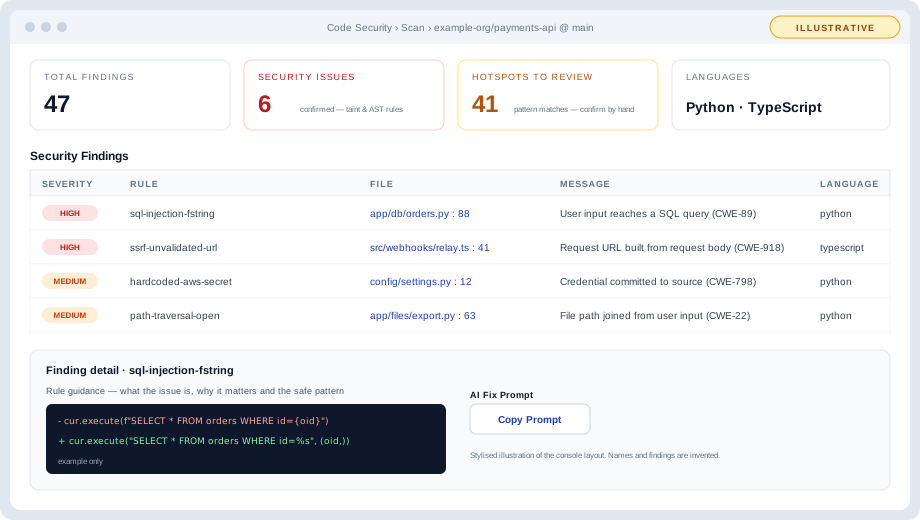
Illustrative — a stylised view of the layout, not a screenshot. Names and findings are invented.
A scan opens on four numbers: Total Findings, Security Issues, Hotspots to Review and Languages. Below them are a severity chart, the most-triggered rules, and two panels:
- Security Findings — results from taint and AST rules. These are the findings to work first. Severity is whatever the rule asserts.
- Hotspots to Review — results from pattern rules. They are capped at medium (low if the rule has not been reviewed) and need a person to confirm them. They are not counted as alerts.
Each row shows severity, rule, file and line, message, language and status. Selecting a finding opens its detail: the rule's explanation and recommendation, a code example where the rule has one, and an AI fix prompt you can copy into an assistant.
Projects
Projects lists every scanned repository with a risk score, critical and high counts, languages and last scan. A project opens to its security issues, dependencies (package, CVEs, risk and recommendation) and scan history.
Dependencies and SBOM
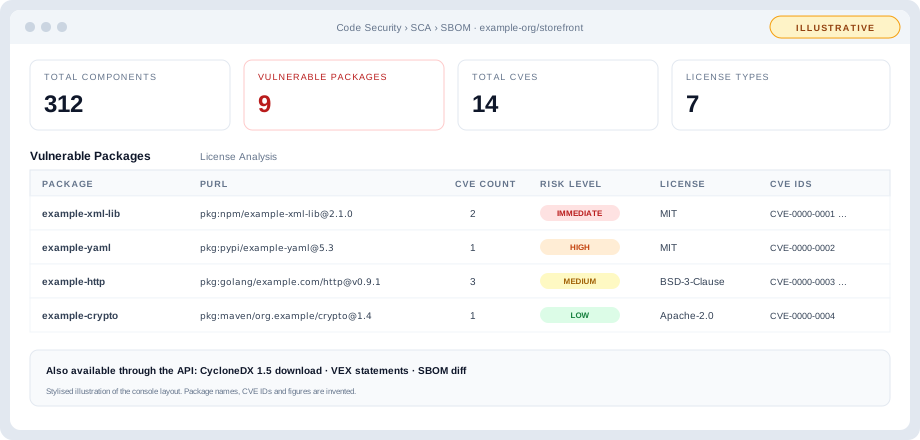
Illustrative — a stylised view of the layout, not a screenshot. Package names and figures are invented.
An SBOM view shows total components, vulnerable packages, total CVEs and license types, a Vulnerable Packages table (package, package URL, CVE count, risk level, CVE IDs, license) and a License Analysis tab.
Reports
Reports & Trends charts findings over time across all scanners, with per-scanner trend tabs. Export as CSV or PDF.
Severity, in one table
| Source | Shown as | Severity |
|---|---|---|
| Curated taint rule, community rule | Security issue | As the rule asserts — can be critical |
| Reviewed pattern rule | Hotspot to review | Medium at most |
| Unreviewed pattern rule | Hotspot to review | Low at most |
| Dependency advisory | Vulnerable package | Risk level from the 0–10 composite score |
| DAST check | DAST finding | Per check, with CVSS |
Things to know
- Each scan produces a fresh list of findings. Triage decisions are not yet carried from one scan to the next.
- Within a scan, the same rule on the same file and line is reported once, and several pattern rules firing on one line are collapsed.