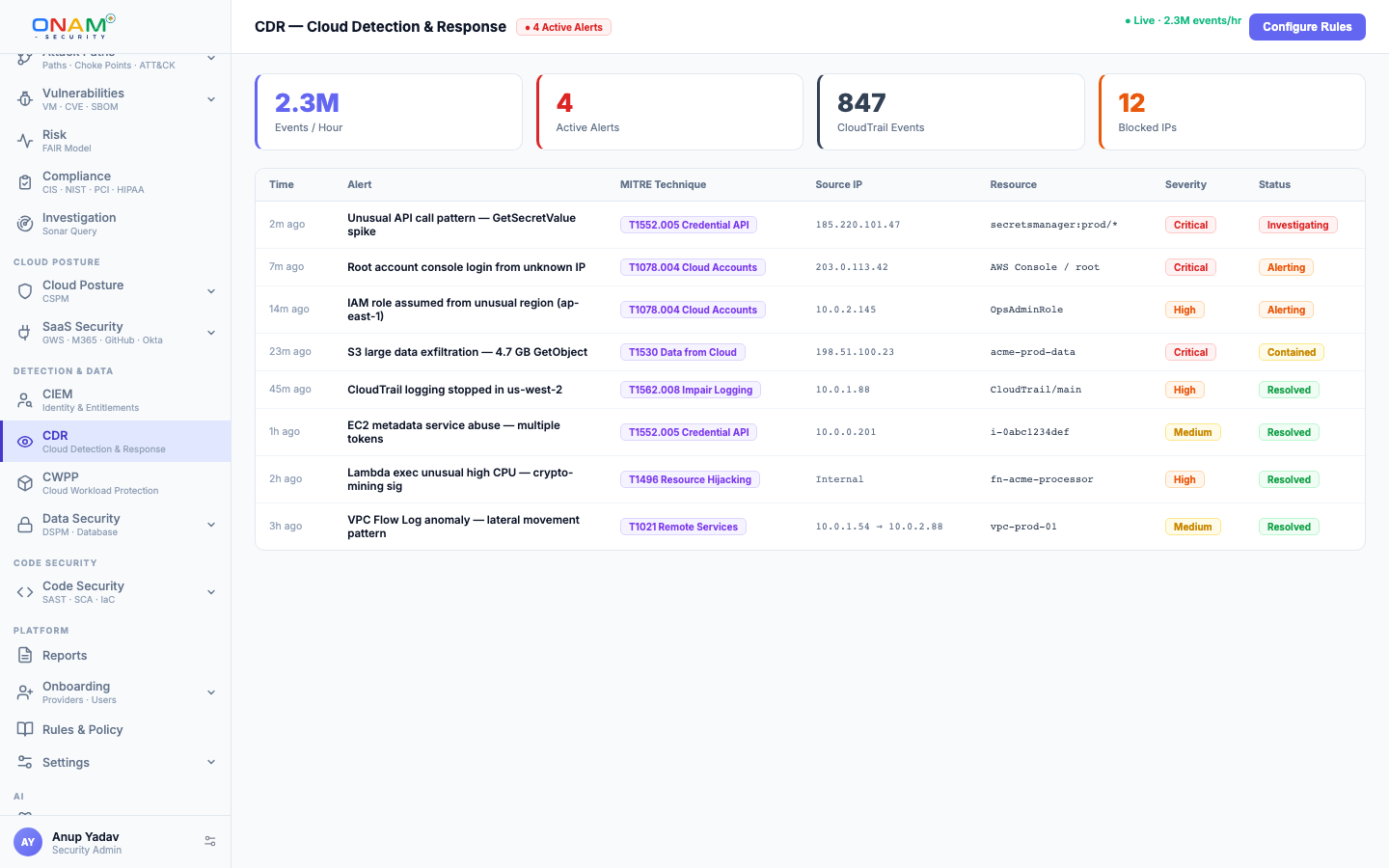
CDR — Cloud Detection & Response
Onam CDR provides continuous behavioral threat detection across your cloud audit logs — ingesting activity from all 7 supported providers and running a three-tier detection model that catches everything from known attack signatures to multi-step attack sequences to subtle deviations from an entity's normal behavior.
This page covers the log sources per provider, the L1/L2/L3 detection model, how detections correlate into incidents, and how to configure and tune CDR for your accounts.
Log sources
CDR ingests audit and activity logs from every connected provider using the same read-only credentials used for posture scanning. No additional agents, collectors, or network changes are required.
| Provider | Audit source | Ingestion path |
|---|---|---|
| AWS | CloudTrail (management + data events) | CloudWatch Logs and S3 |
| Azure | Azure Monitor activity logs | Blob Storage export |
| GCP | Cloud Audit Logs (Admin Activity, Data Access) | GCS export |
| OCI | OCI Audit service | Audit API |
| Alibaba Cloud | ActionTrail | ActionTrail delivery |
| IBM Cloud | Activity logs | IBM Cloud Object Storage |
| Kubernetes | API server audit events | Collected via Discovery & Inventory |
On AWS, supplemental sources — VPC Flow Logs and GuardDuty findings — can be enabled to enrich detections with network telemetry and Amazon's native alerts.
The three-tier detection model
CDR layers three detection tiers over the same log stream. Detection content is managed server-side and updated continuously, so new attack techniques are covered without any action on your part.
| Tier | Model | What it catches |
|---|---|---|
| L1 | Single-event rules | One log event matches a known-bad pattern |
| L2 | Multi-event correlation scenarios | A sequence of events forms an attack narrative |
| L3 | Statistical behavior baselines | An entity deviates from its own learned normal |
L1 — single-event rules
Curated rules across threat, identity, and data-security packs fire on individual events. Representative coverage:
- Root account login or root API calls
- CloudTrail, activity log, or audit log disabling and tampering
- Security group or firewall changes that open broad internet access
- Storage policy changes that enable public access
- Credential theft indicators, including metadata-service access patterns
- Kubernetes: privileged pod creation, ClusterRole grants by non-admin principals, exec into production pods, secret reads, image pulls from non-approved registries
L2 — multi-event correlation scenarios
L2 scenarios watch for sequences that are individually unremarkable but damning together. Example: an access key is created, first used minutes later from an IP range never seen before, and immediately enumerates and bulk-reads storage buckets. No single event is an alert; the sequence is a credential-compromise scenario. L2 draws on threat, CIEM, and data-security context, so scenarios can require conditions like "identity is privileged" or "bucket is classified sensitive".
L3 — statistical behavior baselines
L3 builds a per-entity behavioral profile over a 30-day rolling window — typical API call rate and distribution, normal geographic regions, standard hours of activity, usual services accessed, and typical data transfer volumes. Detections fire when behavior deviates sharply:
- API call rate deviates more than 3 standard deviations from baseline
- Activity at unusual hours or from a new geographic region
- First-ever access to a service or resource class
- Incremental permission escalation across multiple sessions
Incident correlation
Individual detections are automatically grouped into incidents using temporal proximity and shared-entity analysis. Example — three detections within four minutes:
- L1: unusual cross-account role assumption from an external IP
- L3: the same role's API call rate at 12x its baseline
- L3: first-ever access to a sensitive S3 bucket by that role
CDR correlates these into a single incident: "Suspected credential compromise — external role assumption followed by data access anomaly." One incident to investigate, not three alerts to triage separately.
MITRE ATT&CK mapping
Every detection fires with a MITRE ATT&CK tag:
| Detection | Tactic | Technique |
|---|---|---|
| Root login | Initial Access | T1078 — Valid Accounts |
| Unusual role assumption from new IP | Credential Access | T1528 — Steal Application Access Token |
| API call to new region | Defense Evasion | T1535 — Unused/Unsupported Cloud Regions |
| Bulk storage download | Exfiltration | T1530 — Data from Cloud Storage |
| Security group opened to 0.0.0.0/0 | Defense Evasion | T1578 — Modify Cloud Compute Infrastructure |
Detections aggregate into the ATT&CK heatmap in the console (GET /api/v1/cdr/heatmap), showing observed activity by tactic and technique across your estate.
Response playbooks
Each incident type ships with a response playbook:
- Alert triage — context summary, affected resources, estimated blast radius
- Containment — one-click actions: quarantine IAM role, revoke session tokens, block IP
- Investigation — a linked audit-log query pulls the full event timeline for the entities involved
- Remediation — the posture findings that contributed to the incident, with fix guidance from the CSPM engine
Because CDR shares the platform's asset and identity inventory, every incident is pre-enriched with posture context: the role's entitlements from CIEM, the resource's exposure from Network Security, and its position on any attack path.
Configuration
CDR is enabled per cloud account:
cdr:
  log_sources:
    cloudtrail: enabled
    vpc_flow_logs: enabled
    guardduty: enabled
  detection_tiers:
    l1_rules: enabled
    l2_scenarios: enabled
    l3_baselines: enabled
  alerting:
    min_severity: medium       # low | medium | high | critical
    channels: [slack, pagerduty, email]
  baseline_window_days: 30
L3 baselines need history before they are trustworthy. Initial baselines are established within 7 days of activation and reach full accuracy after about 14 days. L1 and L2 detections fire from the first ingested event — do not delay enabling CDR waiting for baselines.
FAQ
Does CDR consume GuardDuty findings? Yes. GuardDuty findings are ingested alongside L1 detections, enriched with posture and identity context from Onam's other engines, and correlated into the unified incident stream.
How do I reduce false positives? Use the per-detection entity allowlist. For example, suppress "unusual region" detections for a specific IAM role that legitimately operates globally. Suppressed detections are still logged but do not create alerts.
What latency should I expect from event to detection? Ingestion follows each provider's log delivery cadence (typically minutes). L1 and L2 evaluation happens on ingest; L3 evaluates against the rolling baseline continuously.
Next steps
- Threat Detection — how CDR fits with posture and correlation
- Attack Path Analysis — behavioral edges on the security graph
- CIEM — the entitlement context behind identity detections
- Book a demo — see live detections on a demo estate