IAM Security
IAM Security is the identity-hygiene view of Onam's identity engine: MFA, access-key age, password policy, root usage and wildcard policies, on every scan.
It shares its engine and inventory with CIEM. IAM Security checks each identity's configuration; CIEM works out what the identity can actually do and how it could escalate.
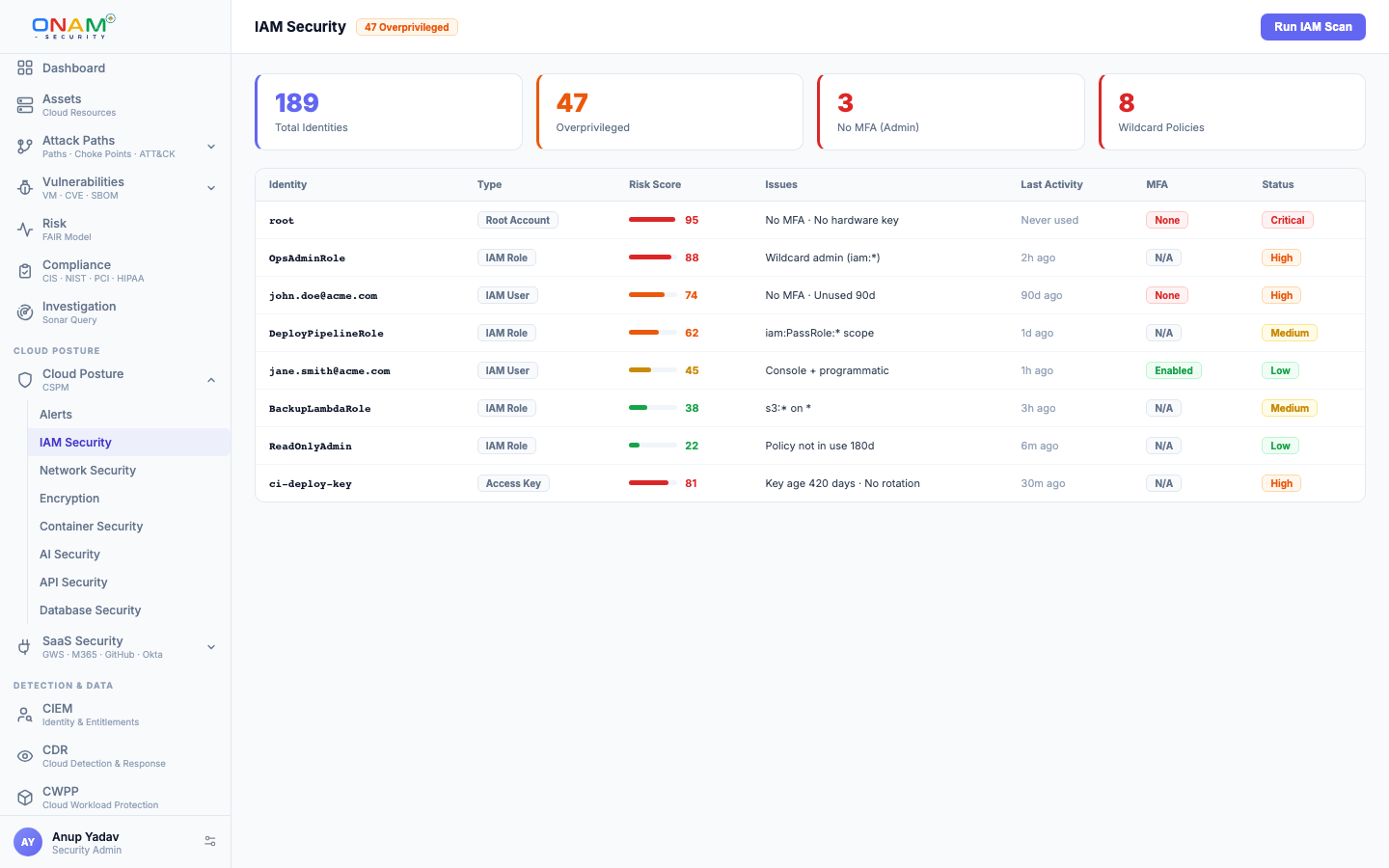
What IAM Security covers
Identity findings are grouped into six modules, each with its own summary and pass rate.
| Module | What it checks | Example findings |
|---|---|---|
| Least privilege | Over-permission, wildcard grants, privilege escalation | Wildcard admin policies, full-admin roles |
| Policy analysis | IAM policy structure | Inline policies, missing policy conditions |
| MFA | Multi-factor enforcement | MFA not enabled, no hardware MFA for root |
| Role management | Role trust and session settings | Overly broad trust principals, long max session duration |
| Password policy | Account password strength and rotation | Minimum length too short, passwords never expire |
| Access control | Console access, root usage, key rotation | Root account activity, old access keys |
Coverage spans all seven clouds: AWS IAM; Azure Entra ID, service principals, managed identities, RBAC and PIM; GCP service accounts and workload identity; OCI IAM; Alibaba Cloud RAM; IBM Cloud IAM; and Kubernetes RBAC.
How it works
- Load. After each posture scan, the engine loads the findings of every rule scoped to identity security.
- Add provider checks. Per-cloud analysers add their own identity findings — for example key and token rotation on OCI, Alibaba Cloud and IBM Cloud, and RAM trust and MFA conditions on Alibaba Cloud.
- Group. Each finding is assigned to its IAM modules.
- Report. The IAM Security screen shows a posture score, findings by severity, an identity risk trend, the findings table (filterable by severity, module and status, with MFA, key-rotation and privilege-escalation shortcuts) and the Effective Access panel.
Because it uses the shared rule catalogue rather than a separate rule set, a new identity rule becomes an IAM Security finding on the next scan with no configuration.
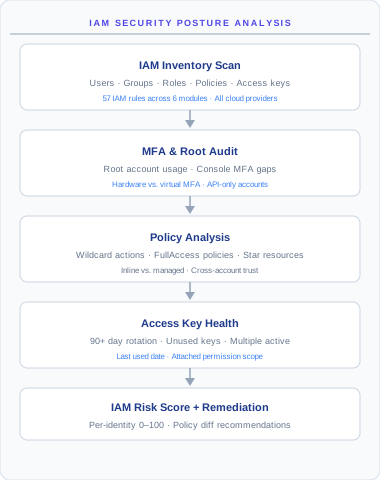
The Effective Access panel
Search any principal by name, ARN or service account to see what it can do after explicit denies and SCP denies: access grouped by resource type, with access level, allow or deny, where a grant was inherited from, and admin, cross-account and SCP-blocked flags. How the table behind it is built is in How effective permissions are computed.
Common findings
| Finding | Severity | Why it matters |
|---|---|---|
| Root account access key exists | Critical | Root credentials should never exist as long-lived keys |
| Privileged user without MFA | Critical | One phished password away from admin |
| Console user without MFA | High | Single-factor interactive access |
Wildcard admin policy (iam:* on all resources) | High | Worst-case scope on the most-abused permissions |
| Access key not rotated in 90 days | Medium | Stale credentials accumulate exposure |
| Identity inactive 90+ days | Medium | Unused identities are unmonitored attack surface |
| Weak password policy | Medium | Short or non-expiring passwords weaken every account |
Each finding carries remediation steps, MITRE ATT&CK mapping, and the compliance controls it affects — MFA and key-rotation checks map directly to CIS IAM sections, NIST 800-53 AC/IA families, PCI-DSS requirement 8, and SOC 2 CC6.
Fix the IAM Security layer first. MFA enforcement and key rotation are among the cheapest risk reductions in cloud security, and they make every CIEM finding less exploitable.
IAM Security vs CIEM
They are two views of one identity engine and share one inventory:
| IAM Security | CIEM | |
|---|---|---|
| Question answered | Is this identity configured safely? | What can it do, how could it escalate, what does it never use? |
| Data analysed | Identity configuration: MFA, keys, password policy, policies, trust settings | Resolved effective access, trust relationships and, on AWS, CloudTrail activity |
| Typical finding | User without MFA, key not rotated | PassRole to an admin role, shadow admin, high permission gap |
| Output | Module posture scores, identity findings | Escalation and trust findings, risk scores, access reviews |
Start with IAM Security to fix hygiene, then use CIEM to shrink access and close escalation paths.
Next steps
- CIEM overview — effective permissions, escalation paths and access reviews
- CSPM — the rule catalogue IAM Security draws on
- Attack Path Analysis — how identity weaknesses chain with network and data exposure
- Book a demo — see your identities on a live walkthrough