How does Onam find AI we didn't list?
From four places you've already connected: your clouds, your clusters, your SBOMs and your SaaS.
Managed AI services come from read-only cloud roles, self-hosted AI from a workload classifier, AI components from the SBOMs Onam already holds, and AI apps from your connected SaaS.
- Cloud roles
- Read-only ServiceAccount
- SBOMs
- Connected SaaS
How does Onam recognise a self-hosted model server?
From the workload itself. A classifier reads the images and custom resources in each connected cluster and labels the common building blocks of self-hosted AI. Pick one:
Model server. Added to the AI inventory and checked for exposure without authentication. Other model servers and gateways recognised the same way: vLLM, Text Generation Inference (TGI), LiteLLM, llama.cpp and LocalAI.
Vector database. Your embeddings, which can hold copies of your data. Also recognised: Weaviate, Chroma, Milvus, pgvector, and Redis used as a vector store.
Notebook. A notebook that is open to anyone can run code. Also recognised: MLflow.
Serving platform (custom resource). Also recognised: KubeRay, NVIDIA NIM and Seldon.
Clusters are read through the read-only ServiceAccount you create in Connect Kubernetes clusters. Onam deploys no agent or scanner in the cluster and changes no object. The cluster's API server must be reachable from Onam, for example a public endpoint restricted to Onam's egress IPs.
Which managed AI services are discovered?
The posture scan records each AI resource and its settings through the same read-only cloud roles that feed CSPM.
| Cloud | What is discovered |
|---|---|
| AWS | Amazon SageMaker and Amazon Bedrock |
| Azure | Azure AI services accounts (including Azure OpenAI) and Azure Machine Learning workspaces |
| Google Cloud | Vertex AI endpoints, datasets and Workbench instances |
Does it find AI apps in our SaaS?
Yes. Inventory › AI in SaaS lists AI apps found in the SaaS platforms you've connected to Onam, such as Microsoft Copilot or Claude in Google Workspace. They sit in the same AI inventory as your cloud and self-hosted AI.
What is the AI bill of materials?
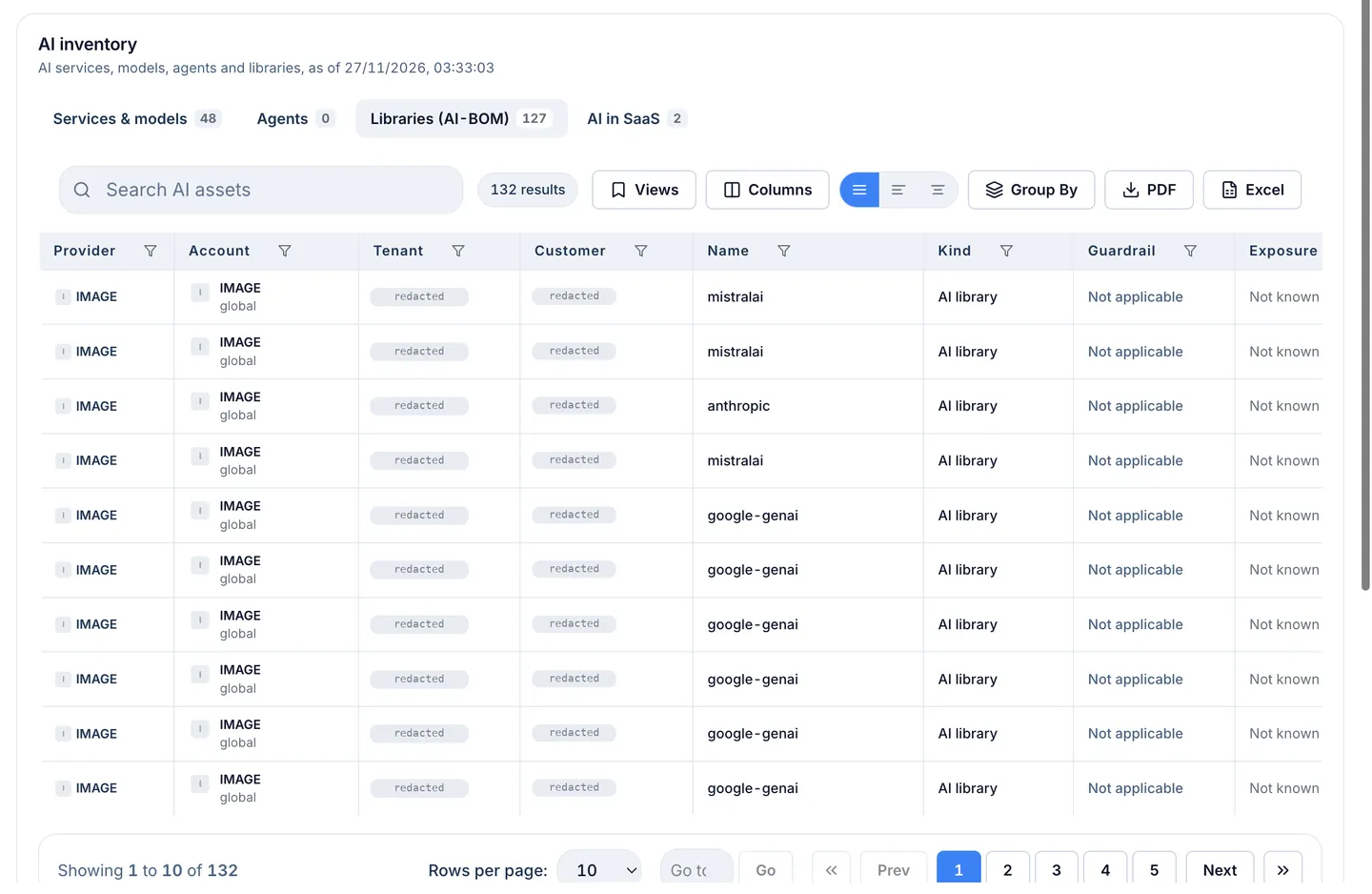
It is the list of AI software inside your applications, read from the SBOMs Onam builds for your code and images. It answers "which AI software do we ship?" and lives under Inventory › Libraries (AI-BOM).
- AI libraries: the frameworks and SDKs your services import.
- Model servers: the serving software packaged in your images.
- MCP SDKs: the Model Context Protocol libraries that let an application expose tools to an AI agent or call them.
Read more about SBOMs in Dependencies and SBOM.
What it checks
- Managed AI resources and their settings on AWS, Azure and Google Cloud
- Self-hosted model servers, notebooks, vector databases and serving platforms on connected clusters
- AI libraries, model servers and MCP SDKs from your SBOMs
- AI apps in your connected SaaS platforms (AI in SaaS)
- Groups AI into applications from the
onam-ai-apptag, links between AI assets, and code
What it does not do (today)
- Vertex AI feature stores, vector search and Colab, Azure Machine Learning connections, or Bedrock knowledge-base data sources (not discovered yet)
- AI services on Oracle Cloud, Alibaba Cloud or IBM Cloud
- The OpenAI platform itself: use of the OpenAI API from your code appears only as a library in the AI BOM
- AI on a laptop or anywhere outside the accounts and clusters you connected
Keep going
Questions customers ask
A team runs Ollama on a GPU node in our cluster. Will Onam find it?
Yes, if the cluster is connected. The classifier recognises Ollama and the other model servers listed above from the workload itself, adds it to the AI inventory and checks whether it is reachable without authentication.
Do I have to install an agent in the cluster?
No. Discovery uses the read-only ServiceAccount from Connect Kubernetes clusters. Onam deploys no agent or scanner in the cluster and changes no object.
Where does the AI bill of materials come from?
From the SBOMs Onam builds for your repositories and images. It is a view of those SBOMs filtered to AI libraries, model servers and MCP SDKs, so it is as complete as the code and images you have connected.
How do I group our AI into applications?
Put the tag onam-ai-app=<application name> on your AI resources. Onam also groups assets it can link to each other and to code. Onam never adds the tag itself.
Can I export the inventory?
Yes. Inventory, Findings and the other AI tabs export to PDF and Excel or CSV, like the rest of the console.